 Modeli
Get the app
Screenshot or shop photo → your photo
How do I try on clothes from a screenshot on iPhone?
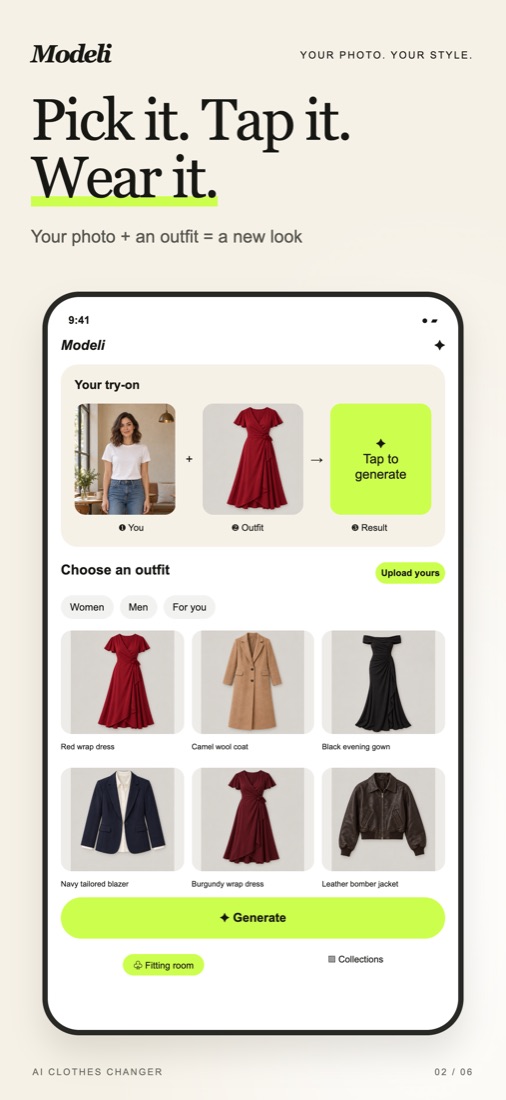
Save the picture, open Modeli: AI Clothes Changer, tap Add clothes and choose it. Modeli finds the clothes in the screenshot and puts them on your photo, while your face, hair, pose and background stay the same. It works with shop product photos and with photos of someone wearing the item, from an online shop, Instagram or Pinterest.
Download Modeli: AI Clothes ChangeriPhone and iPad · iOS 15 or later
How it works
- 1
Screenshot the outfit
Any clear picture of the clothes works: a shop product photo, a flat lay, or a photo of someone wearing it.
- 2
Add your photo
One full-body photo of you, standing, head to toe. Or start with a built-in model.
- 3
Tap Add clothes
Choose the screenshot. Modeli finds the clothes in it and puts them on your photo.
Good to know
- iPhone and iPad only (iOS 15 or later). There is no Android or web version yet.
- The clothes should be clearly visible in the screenshot; a tiny or heavily covered item gives a weaker result.
- Results are AI previews: fabric, fit and color can look slightly different from the real item.
- Swimwear and underwear may be blocked by the safety filter.
- Free try-ons are limited each day. Premium, an optional subscription, gives more looks a day and removes ads.
Questions
Can I use a photo where a model is wearing the clothes?
Yes. Modeli separates the clothes from the person in the picture, so a shop photo with a model works. A clean product photo usually gives the most accurate result.
Which clothes work best?
Dresses, tops, shirts, sweaters, jackets, coats, trousers, skirts and full outfits. Shoes and hats are supported too. Swimwear and underwear may be blocked by the safety filter.
Does it keep my face?
Yes. Only the clothes come from the AI. Your real face, hair and background are kept from your original photo.
Does it work with screenshots from Instagram, TikTok or Pinterest?
Yes. Any picture saved in your Photos works, as long as the clothes are clearly visible.
Can I do this on Android or on a computer?
Not yet. Modeli is an iPhone and iPad app (iOS 15 or later).
How many free try-ons do I get?
You get 3 free try-ons every day, with no subscription and no account needed. Watching an optional short video adds one more, up to 5 extra a day, and the free try-ons come back the next day.
How much does Modeli Premium cost?
Premium is optional. In the US it costs $4.99 a week or $34.99 a year (there is also a monthly plan), and the app shows the exact price in your currency before you buy. Premium gives 30 try-ons a day and removes ads; it renews automatically until you cancel it in your App Store account settings at least 24 hours before the period ends.
Are my photos stored or used to train AI?
Your photos are never used to train AI models, never sold and never used for face recognition. They are kept in private cloud storage while you use the app so you can see your looks again, and Delete my data in the Fitting room settings removes your photos, looks and account from the servers at once.